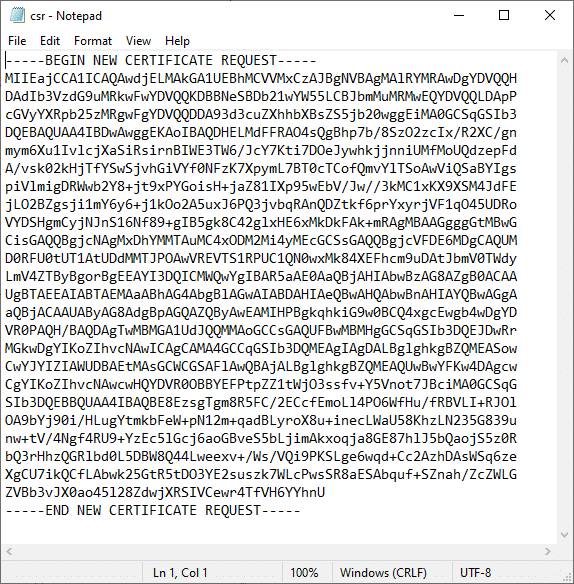
Creating a Certificate Signing Request (CSR) in Windows IIS 10
This guide will walk you through the process of creating a Certificate Signing Request (CSR) in IIS. These procedures were tested on Windows 10 with IIS 10, but they also work in IIS 7.x and 8.x.
1. Launch IIS Manager.
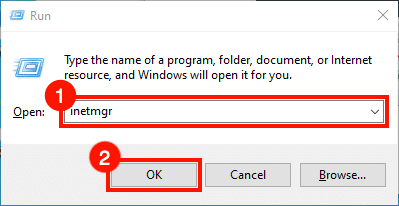
Start IIS Manager. One quick way to do this is to open the Run command, type inetmgr and click OK.
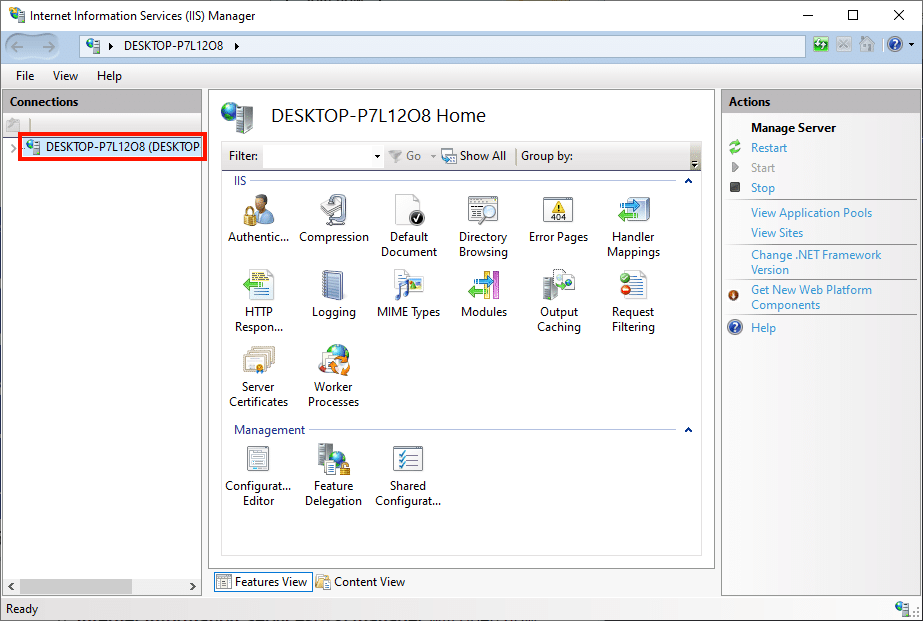
2. Select the server.
Select the server in the Connections panel on the left side of the window.
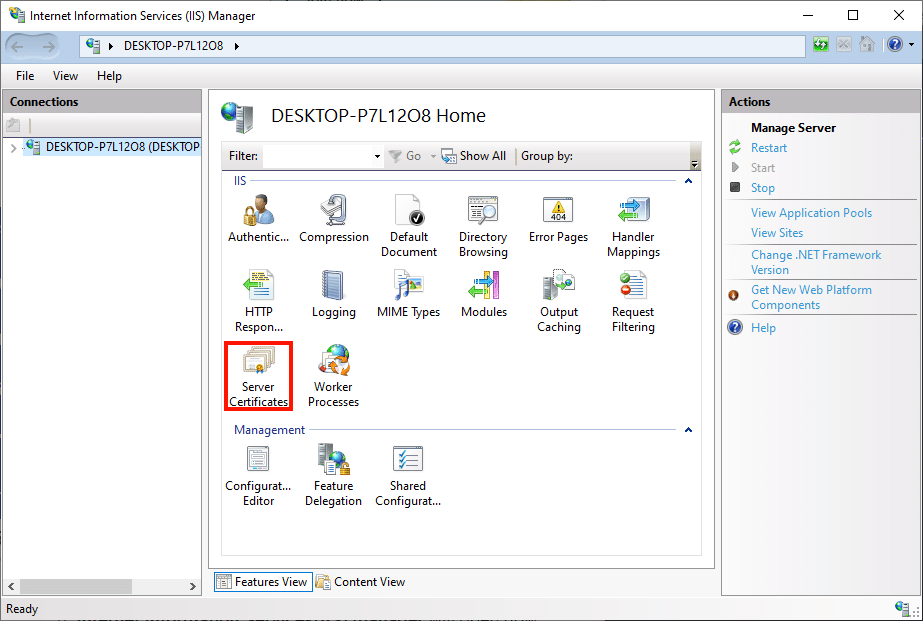
3. Open Server Certificates.
Double-click the Server Certificates icon located under the IIS section in the center of the window.
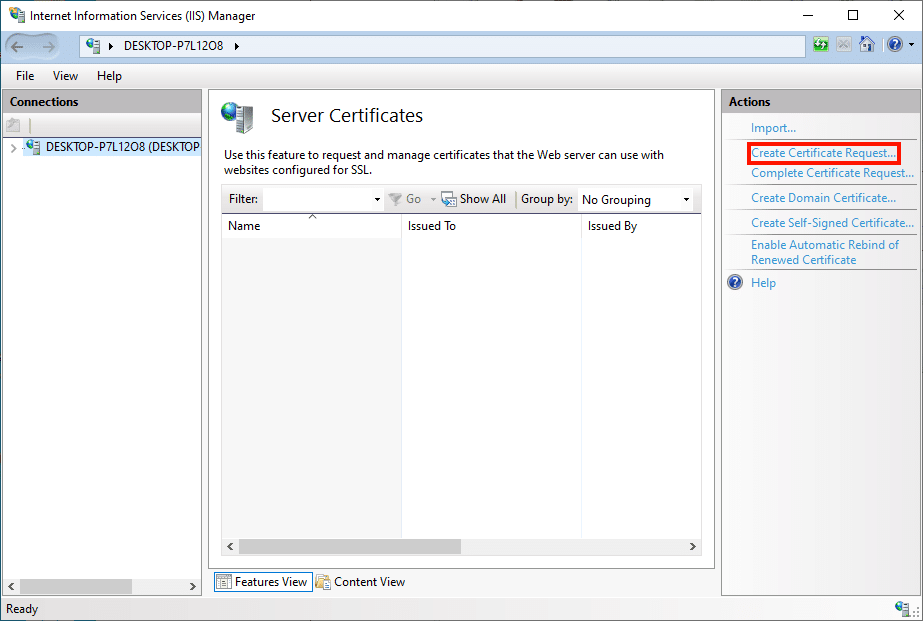
4. Click "Create Certificate Request".
Click the Create Certificate Request… link in the Actions panel on the right side of the window.
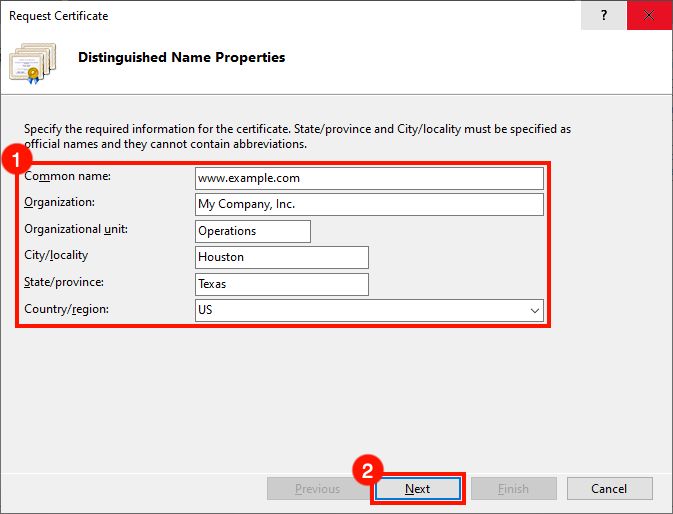
5. Enter the Distinguished Name Properties.
The Request Certificate wizard will open. Fill in the Distinguished Name Properties form with the following information:
• Common Name: The domain name the certificate will be used for. This is usually a fully qualified domain name, for example www.mydomain.com or store.mydomain.com. You can also use a wildcard, such as *.mydomain.com.
• Organization: The official name of your company or organization.
• City/locality: The city where your company is located.
• State/province: The region or state where your company is located.
• Country/region: Please use the two-letter code of your country.
Once the form is complete, click Next.
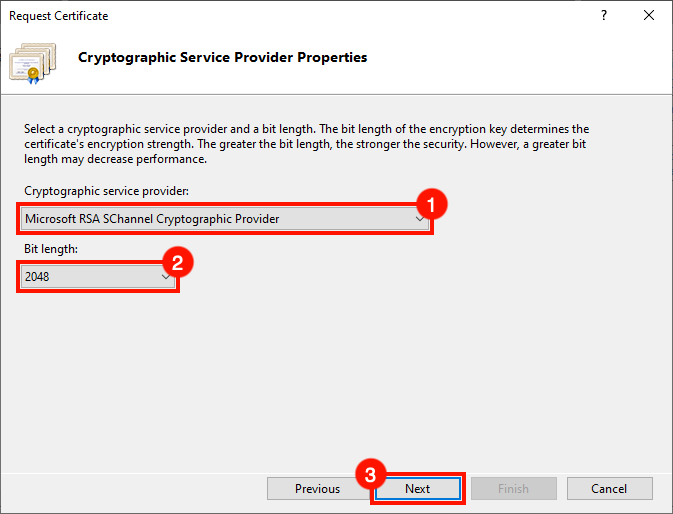
6. Configure the Cryptographic Service Provider properties.
Next, configure the Cryptographic Service Provider Properties. Use the drop-down lists to select Microsoft RSA SChannel Cryptographic Provider as the cryptographic service provider and a key length of 2048 bits (unless you have a reason to use other values). Then click Next.
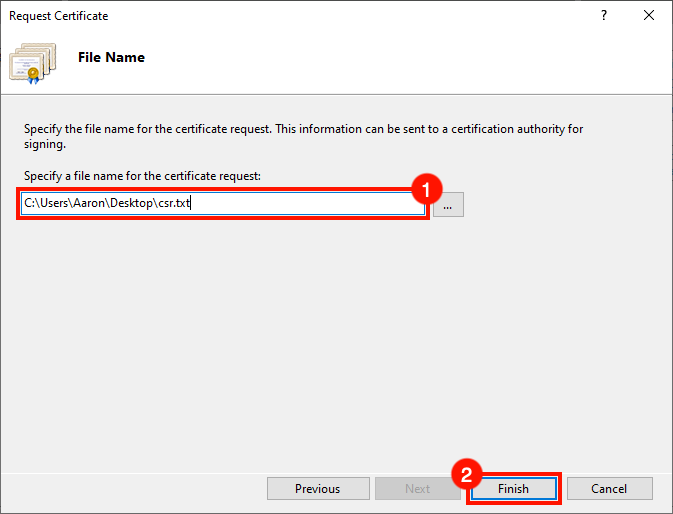
7. Choose a file name and finish the process.
Choose a file name for your CSR, then click Finish.
8. Next steps.
You are done! Open the CSR in a text editor when you are ready to submit it for signing. For instructions on submitting a CSR to SSL.com, see the CSR submission guide. When your certificate is ready to be installed, check out these guides on installing and binding a certificate in IIS.